Use Shapeways SVX Format to 3D Print Game Code As a Model


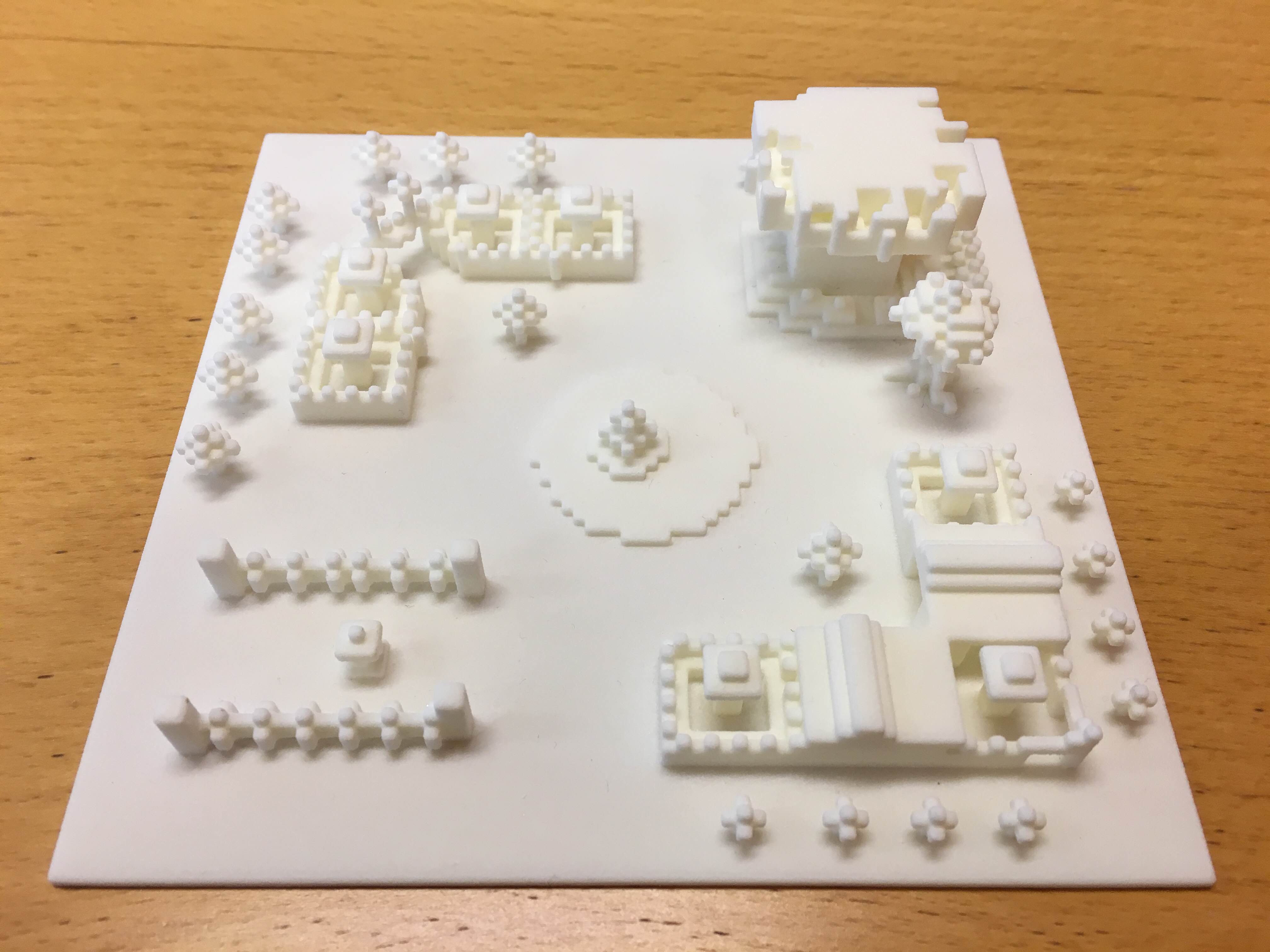 The worlds of gaming and 3D printing continue to overlap in very compelling ways. For example, there are 3D printing services, like FabZat, that allow a game fan to order a 3D printed character from a favorite video game, such as World of Warcraft. Speaking of that game, there’s also the option of 3D printing characters from models you can download directly from a game model viewer. Now we have another example of the gaming/printing intersection, and this is about as direct a link as one can get. Did you know there’s a way for you to 3D print game coding? Think about it: you spend lots of time playing that game to the point that it feels like an extension of yourself. Why not have a 3D printed replica of all this coding that comprises this large part of your life? A recent JavDev Coding post explains exactly how to do this so you too can enjoy a physical representation of all of the tiny data pieces that make your life a little bit more exhilarating every day.
Working off of Shapeways SVX format, which allows you to export voxel geometry to an intermediate level, this process involves working with that exported geometry to convert it to a 3D printable model. For starters, let’s clear a few things up. A voxel is a 3-dimensional pixel that most 3D printers work with, and any 3D model you work with will be sliced into 2D images with each pixel representing a “dot of material” that the printer uses to build your object. A Shapeways blog post explains this process:
“Voxel formats allow direct control over those dots. One promise of 3D printing is that complexity is free. Sadly with STL files we’ve had the disconnect that more complexity equals more triangles equals larger files. Above a certain limit you just can’t use triangles to specify the details you want in a 3D printed model. Whether that information be material allocation, density, RGB color both internal and external or a custom id that could be used for another variable, not yet available in the 3D printers on the market.”
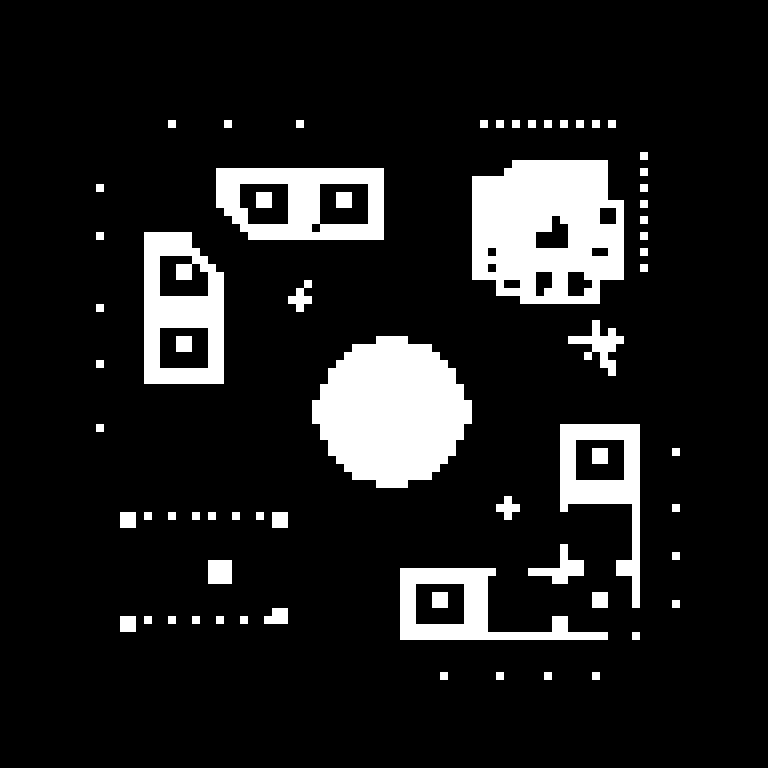
For the purposes of printing game code, voxel images should be marked white on a white and black PNG. So the idea is fairly simple when you are converting game code to a printable model.
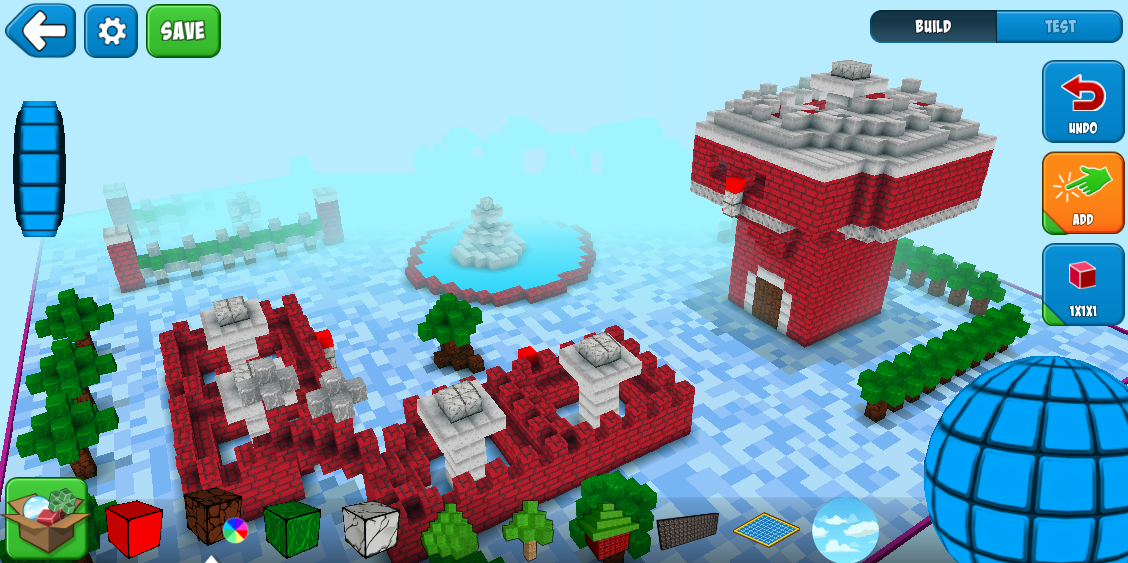
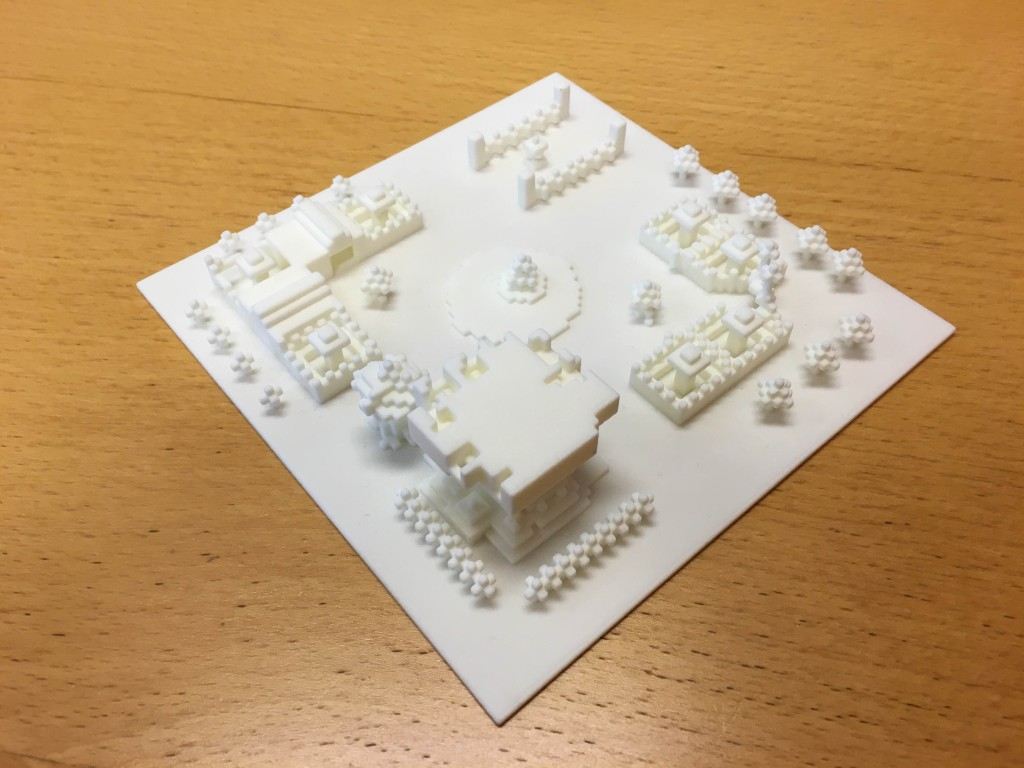
 The JavDev Coding post covers how the Bot level from the game RoboBlast Planet is taken and Shapeways SVX is used to convert it to pixel. Included in the post’s general instructions are some additional insights into using the Shapeways SVX format to build this model. The first insight is that a base is required for the structures to stand on. Also, the Shapeways program has a “smoothing algorithm” that might smooth separate structures so that they are too close together. To prevent this, in this 3D model, 8 blocks were added on the SVX file for every game block. Finally, take advantage of Shapeways’ ability to detect loose shells so you have no free-floating structures for your print. Everything has to be connected, and Shapeways can help you detect your loose shells so that they will be.
Here’s a dowloadable 3D model of the Bot game level from RoboBlast Planet. If you are interested in pursuing the idea of printing out game code, begin with Shapeways SVX and then follow these additional guidelines. You should be well on your way to your own 3D printed game code. Discuss in the 3D Print Game Code forum over at 3DPB.com.
Subscribe to Our Email Newsletter
Stay up-to-date on all the latest news from the 3D printing industry and receive information and offers from third party vendors.
Print Services
Upload your 3D Models and get them printed quickly and efficiently.













You May Also Like
AM Asia Watch: Chinese Company Claims Advances in Titanium Powder Beyond 700C
They’re a familiar sight at trade shows: Chinese powder companies with barren stands lacking parts. There’s maybe some glass vessel with powder in it and a semi-complete data sheet, but...
Aires Tide Designed with AI, Supercomputers, and 3D Printing
The Department of Energy‘s National Nuclear Security Administration (DOE/NNSA) is part of the US government that manages the US nuclear stockpile, helping to upgrade, improve, and maintain nuclear weapons, and...
Largest Publicly Announced, Single Order in EOS History: Beehive Industries Spends $50M on M4 ONYX 3D Printers
Earlier this year, Beehive Industries received a $29.7 million contract to produce its Frenzy 6 and Frenzy 8 engines for the US Air Force. The metal additive manufacturing (AM) user...
Blue Origin’s New Glenn Explosion Comes During Major Manufacturing Push
Blue Origin‘s orbital New Glenn rocket exploded during a hot-fire test at Launch Complex 36 in Cape Canaveral on May 29, setting back the company’s launch ambitions at a time...