Designer 3D Prints a Raspberry Pi Radio


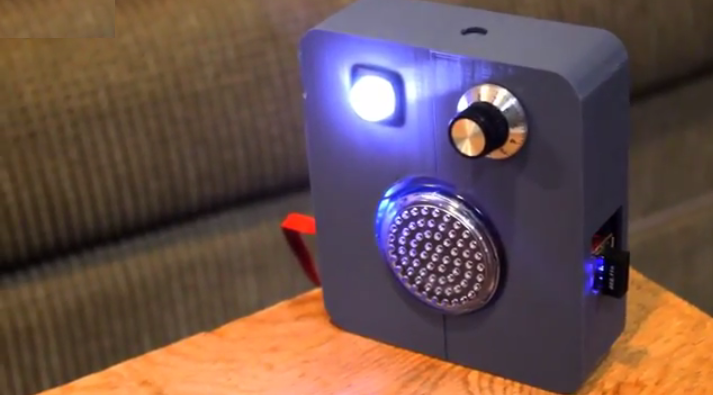
If you have some extra time and the proper DIY spirit — and considerable tech know-how or a willingness to undertake a crash course — then Instructables maker Univership has a project for you. With a Raspberry Pi, his detailed instructions, and a few moderately priced supplies, you can make your own 3D printed radio, or “Raspdio,” that you can program to play what and when you want it to by connecting to the internet and interfacing with a pre-programmed (by you) Google spreadsheet. You say it’s already been done? We say… You’re probably right, but why not reinvent the wheel if you can make it more interesting and you learn in the process?
What you’ll need for this project is, first and foremost, a love for the minutiae. You’ve got that? Good. You’ll also need a Raspberry Pi — an inexpensive, credit-card size computer you can plug into a TV or a monitor. You can use a standard mouse and keyboard with your tiny computer, which will cost you somewhere between $35 and $50.
In addition to your Raspberry Pi and your gumption, you will also need the following (see the Instructables and Github pages for specific recommendations from the maker):
- A wi-fi dongle
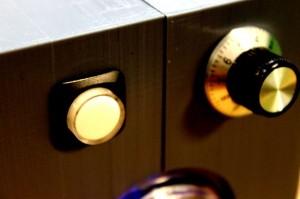
- A speaker
- A push button
- A potentiometer (a voltage divider that measures electric potential)
- An ADC
- A breadboard

You will also need a 3D printer — or you can use an online 3D printing service like Shapeways to print the necessary parts.
Univership does provide good, detailed instructions for producing this radio, which uses Music Player Daemon (mpd) “and its client mpc.” If you’re uncertain about doing the electrical work required for this project, be sure to use the suggested tutorial (linked in the step-by-step instructions). The Google spreadsheet that Univership uses is also available so you don’t need to start from scratch. You can copy his spreadsheet to your drive and go from there. He walks you through the process of configuring your Raspberry Pi, which is in and of itself a worthwhile skill to have acquired in the end.
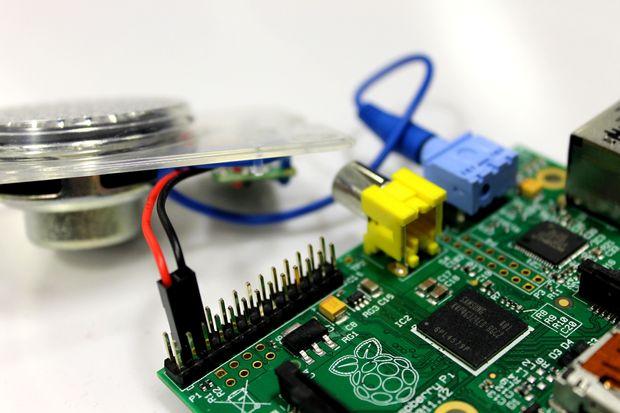
What you end up with is a homemade streaming radio that you can program to accommodate your own quirky schedule. You say you live in your Mom’s basement and noise is an issue? Never fear! You can also program the volume, including going from quiet to really, really loud if you have trouble waking up in the morning. There’s the option of creating a “snooze”-style element so you can wake up gradually to your favorite tunes. All in all, this seems a fun project for those who want to be able to boast, “I made it myself.”
Check out the video below from Univership. Let us know what you think, or if you’ve made your own, over at the Raspdio forum thread at 3DPB.com.
Subscribe to Our Email Newsletter
Stay up-to-date on all the latest news from the 3D printing industry and receive information and offers from third party vendors.
Print Services
Upload your 3D Models and get them printed quickly and efficiently.













You May Also Like
AMCRC’s Additive Manufacturing Forum: Australia’s Moment in the Sun?
The Additive Manufacturing CRC (Additive Manufacturing Cooperative Research Centre, or AMCRC) is a cooperative research and implementation organization dedicated to making additive happen in Australia. Headed by Simon Marriott, it...
Divergent Is Building a Factory Around 3D Printing
What started with a hypercar is now taking Divergent Technologies into aerospace and defense manufacturing. By combining software, metal 3D printing and robotic assembly, the California-based manufacturer is working to...
Russia’s 3D Printed Missiles & Can NATO Get Its Act Together?
For most of US history, however much the two major parties differed on domestic policy (in some cases a lot, overall less than you’d think), there was always essentially a...
Deals, Dollars and 3D Printing: What’s Moving in AM
There’s been plenty of business activity in additive manufacturing (AM) lately, with new deals, partnerships and investments in production. One of the bigger moves comes from Sweden, where investment firm...