Kid’s Creation Station Launches: Turn Your Child’s Drawings into 3D Prints

 Everywhere you look there seems to be new companies, applications, and initiatives launching to integrate 3D printing into our children’s educational toolbox. Whether it’s expensive large-scale additive manufacturing machines entering college campuses, MakerBot 3D Printers being acquired by middle and high schools across the globe, or new mobile applications which encourage children to learn and create via 3D printing and modeling, the technology promises to transform the way individuals ages 4 to 104 learn.
I recall, as a child, drawing constantly, letting my imagination run wild, while providing my parents with hours of much appreciated quiet time. Drawing was a way for me to express myself, my creativity, and how I envisioned the world in bot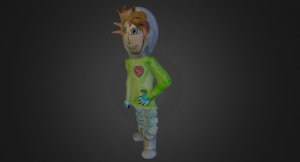 h real and imaginative terms. In retrospect it was a very important part of my development — if not from an artistic standpoint (I’m a terrible artist), then from a creative one.
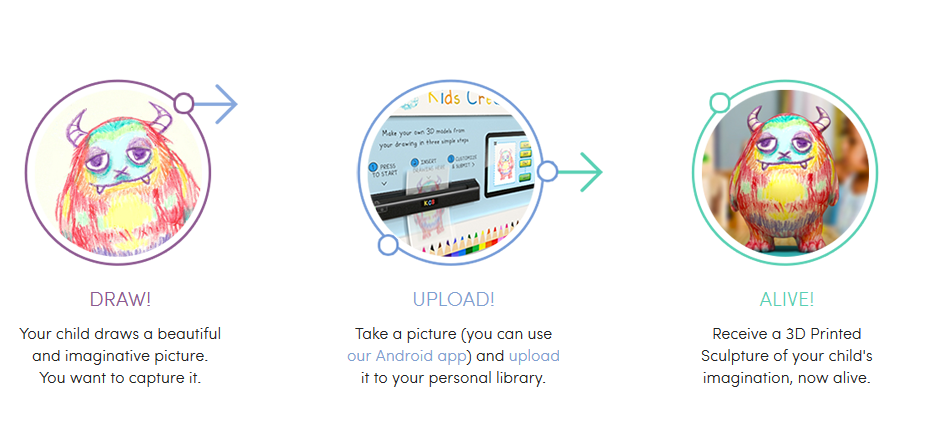
Fast forward about 25 years and children now are able to take creativity to an entirely new, and quite exciting level. A new web application has launched called Kids Creation Station (KCS) which allows your child’s drawings to become 3D printed works of art. The Kids Creation Station is a part of the 3DP4E (3D Printing for Everyone) family and has partnered with ZBrush and Sketchfab to bring their idea to fruition.
The way it works is quite simple. After a child draws a picture, parents take a photograph of that drawing and upload it to the KCS server via an Android smartphone application. Talented staff at KCS will then turn that image into a 3D printable model and have it printed as an actual physical 3D object. The models are printed out of a sandstone material and are approximately 4 inches tall. The sandstone prints will then be placed within a special display case with a diorama of your choosing.
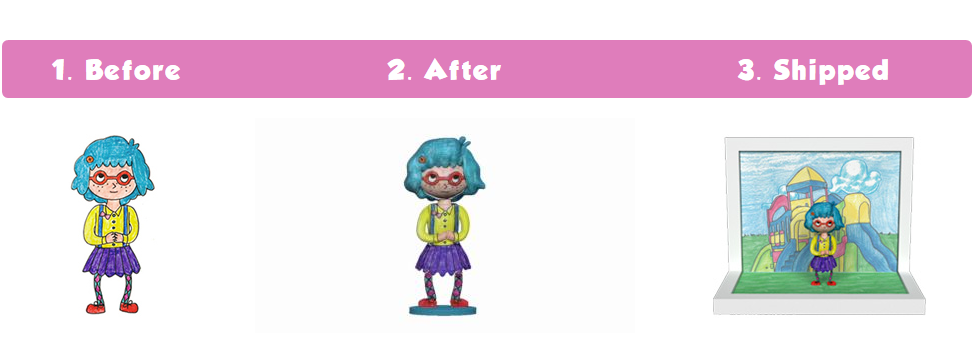
The service certainly isn’t free, and isn’t exactly cheap either at $100 for the first 3D printed model of each piece of art. A large portion of this fee is attributed to the time it takes for KCS’ designers to transform the 2D drawing into a 3D model prior to printing. Because of this, additional prints of the same piece of art are available for just $60 each.
It will take approximately four weeks from the time you place an order until the final 3D printed product arrives at your door, so if you are considering utilizing this service for a holiday gift, time is running out.
Let us know if you’ve had any of your children’s drawings transformed into a 3D masterpiece. Feel free to post images of the 2D and 3D works of art in the Kids Creation Station forum thread on 3DPB.com. Check out a 3D example of one particular drawing below.
Subscribe to Our Email Newsletter
Stay up-to-date on all the latest news from the 3D printing industry and receive information and offers from third party vendors.
Print Services
Upload your 3D Models and get them printed quickly and efficiently.











You May Also Like
EOS Joins the MAT‑H2 Consortium
EOS is joining the MAT‑H2 consortium. MAT is an EU-funded group that aims to do research into a hydrogen-led economy. The thinking is that hydrogen will be a clean energy...
Where the Money is Going, Part Two: Why All Roads Lead to AI
In Part One of this article, Vanesa Listek expertly described the major themes driving infrastructure investment so far this decade, illustrating how the same concerns are driving both public and...
DTU 3D Prints New Fuel Cell Design With 5x Power Boost
Technical University of Denmark (DTU) researchers have used Lithoz ceramics 3D printing to make more efficient hydrogen fuel cells. With a part made from Lithoz Yttria Fully Stabilized Zirconia (8YSZ),...
Fraunhofer ILT Tests 3D Printed Titanium Reactors to Generate Hydrogen Onboard Heavy Vehicles
The Aachen-based Fraunhofer Institute for Laser Technology (Fraunhofer ILT) is to research titanium aluminide hydrogen reactors and heat exchangers. The hope is that lightweight, better-performing 3D printed components will make...