CorelCAD 2016 to Offer Users Superior 3D Designing Capabilities & Many New Enhancements

 While CAD software has been crucial to many fields reliant on design software for decades, it is central to much of 3D design and resulting 3D printing. Designers of all age and expertise levels are engaged in using the software, and because we all constantly look forward to doing more, more, more, new products, and releases are greedily gobbled up in hopes that we’ll be able to create amazing new projects.
Corel, aiming to please all their busy users, is just releasing CorelCAD 2016, the latest version of its popular software which offers not only power to the user, but also affordability. With an interactive workspace that allows a more streamlined and user-friendly platform for users to work from while designing, they can within that look forward to:
- Superior 3D designing capabilities
- New customizable 2D drafting tools
- Native .DWG file support
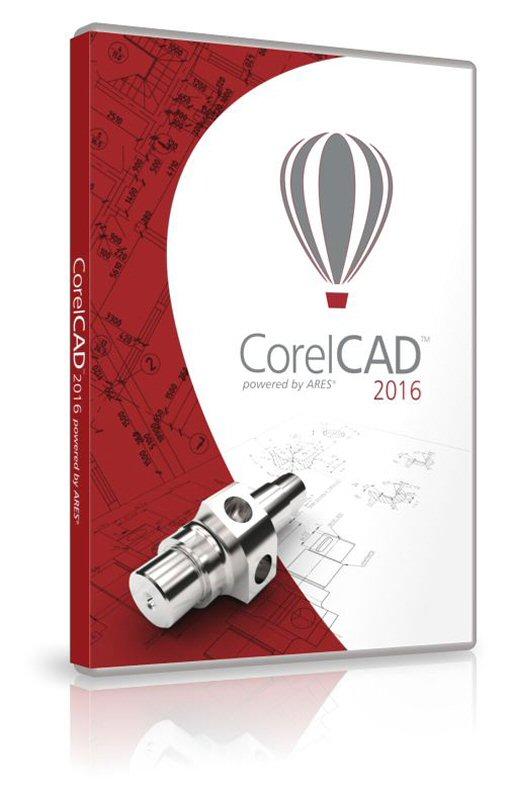 Along with all the new features, Corel is also offering an Android app, CorelCAD Mobile. The app allows for all the speed, performance and customization required and is compatible in both the Mac and Windows environments. This release offers a one-year license for the app, which will soon be found on Google Play, available to registered users.
“For clients in industries ranging from architecture, engineering and construction to manufacturing, CorelCAD is a proven and cost-effective solution for CAD. And by developing a new app for mobile, we’re giving engineers and designers the freedom to be productive in virtually any environment, whether they’re on the factory floor, in an engineering meeting, or at their desk,” said Klaus Vossen, Senior Product Manager for Technical Graphics, Corel.
“With new design and annotation capabilities in our Android app and enhanced 2D drafting and 3D design on the desktop, CorelCAD 2016 boosts productivity and helps users achieve their CAD goals, across platforms and on the go.”
Using the ARES CAD platform, the following new features are included:
- Quick input allows the user to establish a command interface in projects using the cursor in the drawing area. Commands are brought directly to the cursor as it moves.
- Annotative scaling keeps important text readable and separate from drawing and viewpoint scale functions. The user is able to view legible text at all times, despite the changing sizes of design elements.
- Head-up display allows the user to edit all entities in one place by selecting and zooming in to make required changes.
- The layer states manager keeps various drawing display states at hand with the ability to save, restore, and manage configuration of layer properties and states. Users can share configurations across multiple projects.
- Dimension offset distances allow for the aligning of dimension lines with consistent distances from surrounding shapes to achieve perfectly aligned technical drawings.
- Multiline BlockAttributes allow the user to edit and format many different types of BlockAttributes with this new pop-up toolbar. You can specify the width of text lines, insert attribute fields, and revise annotations.
- The drawing tabs on Windows capability allows users to instantly open, edit, save, switch between, and close several open and active documents at the same time.
 CorelCAD 2016 retails at $699 USD for the full version and $199 for the upgrade. The software is available to registered users in English, German, Spanish, French, Italian, Brazilian-Portuguese, Czech, Polish, Russian, Turkish, Simplified Chinese, Traditional Chinese, Japanese, and Korean.
Have you used this new software? Let us know in the CorelCAD 2016 forum thread on 3DPB.com.
Subscribe to Our Email Newsletter
Stay up-to-date on all the latest news from the 3D printing industry and receive information and offers from third party vendors.
Print Services
Upload your 3D Models and get them printed quickly and efficiently.










You May Also Like
The Manufacturing Race Behind the Drone Revolution
We are in the middle of a major manufacturing shift focused on the production speed and payload capacity of uncrewed aerial systems (UAS), or drones. A recent Manufacturing Dive article...
ADDMAN to Buy Up to $10.8M in Nickel 718 Powder from 6K Additive Over 30 Months
After years of buildup, we’re finally starting to see what the US metal additive manufacturing (AM) market could look like at scale. To be sure, it’s still not quite there,...
Metal AM in a Multipolar World, Part 2: How PBF and DED Could Change by 2035
The first decades of PBF development were heavily shaped by machine capability: more power, more lasers, larger build volumes, better recoating, and improved process monitoring. These developments will continue, but...
Advanced Manufacturing at IMTS 2026: 3D Printing and AI and Drones, Oh My!
Last week’s International Manufacturing Technology Snow (IMTS) in Chicago welcomed over 90,000 attendees to the jungle that is McCormick Place. With over 1.17 million square feet of exhibit space, and...