Startup Modio Hopes to Bring 3D Designing to the Mobile Masses

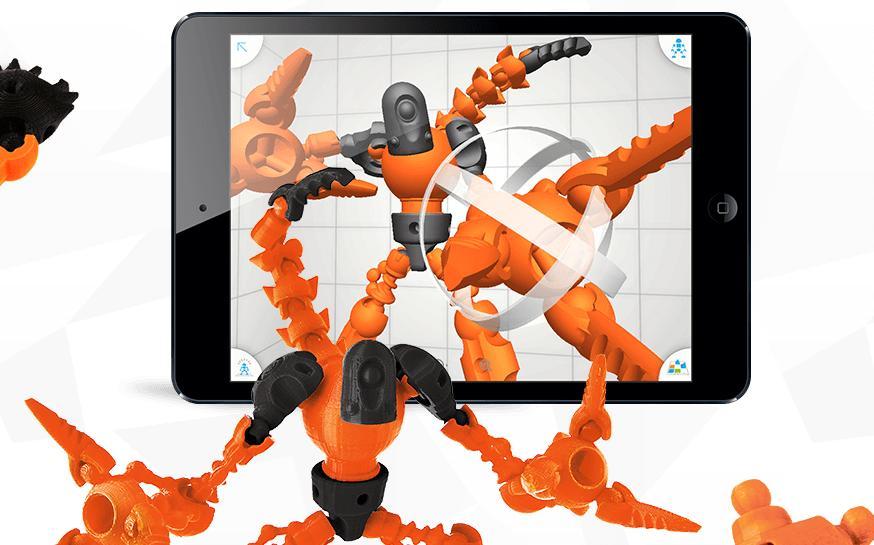
Modio’s new mobile application, also called Modio, allows users to create 3D models and print them.
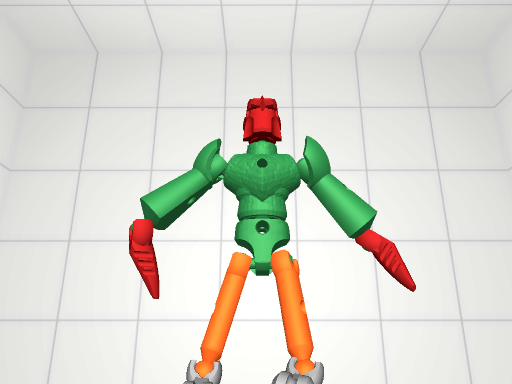
User created Modio figure from Maker Faire Bay Area. Courtesy of Modio.
The app, which is only available on iPad at this time, was launched at the recently concluded Maker Faire Bay Area conference in San Mateo, Calif.
“We are thrilled to launch Modio here at Maker Faire Bay Area, and we can’t wait to see what the maker community will make with it,” said Hilmar Gunnarsson, Founder and CEO of Modio. “With Modio, anybody can design amazing creations and then easily make them real using a desktop 3D printer.”
According to the app’s developers, Modio was created because there’s a gap in the market.
“We come from pretty diverse backgrounds but we all believe passionately that 3D printing is an amazing technology,” the developers said on the Modio website. “Unfortunately, there are not a lot of tools available that enable anyone to create great content for 3D printing. That’s why we created Modio.”
Though similar apps such as Sculpteo and Blokify exist, Modio distinguishes itself in several ways. First, Modio works with most desktop 3D printers. Unlike some 3D printing programs, Modio’s templates are designed to print easily out-of-the box without additional rafts or support material. The app also features an intuitive interface that lets users set the size and layout of all the parts on a 3D printer’s print plate. The app’s developers say this feature simplifies the printing process.
The Modio app comes with a template library that includes plans for a variety of characters and creatures such as scorpions, knights, ninjas and more. Though there are plans to put up a paywall in the future, at the moment, all the templates and parts plans are free, so that early adopters can see what the app can really do.

User created Modio figure from Maker Faire Bay Area. Courtesy of Modio.
Everything that a person prints using Modio is supposed to be fully poseable and interchangeable. That means that even if a person uses a specific part or template, he/she can take it apart and reconfigure it or attach some of the pieces to his/her other creations. Users can also add textures to the shapes and pieces created using the app.
For those who are bummed about Modio being an Apple-only product. The company has said via Twitter, that there are plans to bring the app to other devices. Modio’s developers also have plans to open a discussion forum where users can share feedback about the app and get support from the community. In the meantime users can discuss the new mobile app at the Modio forum thread at 3DPB.com
Subscribe to Our Email Newsletter
Stay up-to-date on all the latest news from the 3D printing industry and receive information and offers from third party vendors.
Print Services
Upload your 3D Models and get them printed quickly and efficiently.









You May Also Like
3D Printing News Briefs, October 10, 2026: Drones, WAAM, Ceramics, & More
We have a packed 3D Printing News Briefs for you this weekend! First, America Makes celebrated the recent National Manufacturing Day with 3D printed drones, and then it’s on to...
10 Years of Multi Jet Fusion: Onsite at HP’s Vancouver, Washington Facility
At this year’s RAPID event in Boston, HP Additive Manufacturing Solutions celebrated ten years in the additive manufacturing (AM) market. The company ushered in the milestone with several innovations, including...
PharmaTher Plans U.S. Network to 3D Print Medicines on Demand
3D printing medicines has often been tied to the idea of personalization, basically making a pill in the right dose, shape, or drug combination for a patient. PharmaTher is now...
3D Printing News Briefs, September 17, 2026: 3D Printed Boat, UAS Development, & More
We’ll start with maritime manufacturing in this week’s 3D Printing News Briefs, and continue on to defense 3D printing. We’ll end with funding for Tripo AI. Read on for all...