
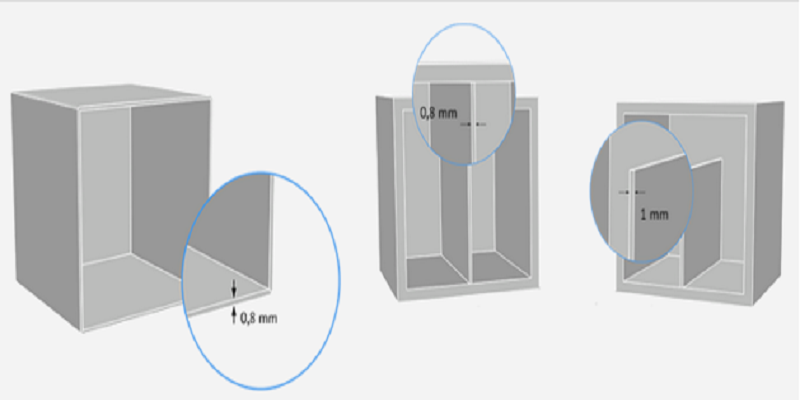

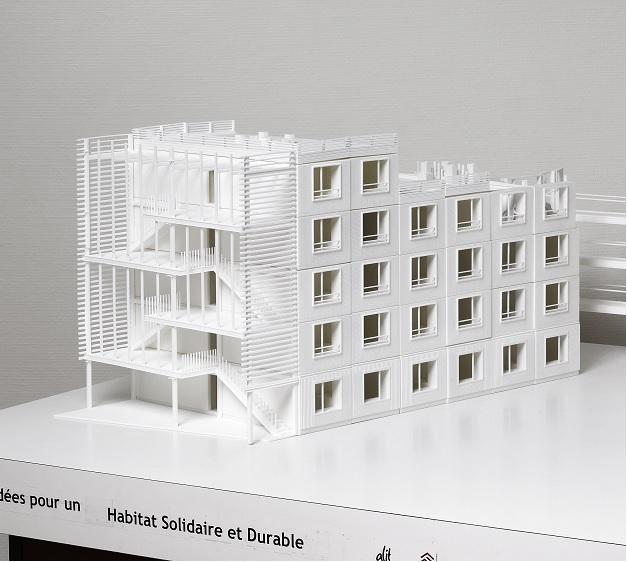
You should pay attention to your model’s minimum scale. This is the first tip Sculpteo offers. Modeling a 3D file does not require you to work within a given unit or scale, but you still have to pay attention to these features before you send your model to be printed. If you make a 3D print in millimeters instead of centimeters, then you can end up with a bad print, and you don’t want that. On this issue, Sculpteo provides an example of working with architectural models:
“With architectural models, it can, for instance, be entirely possible to 3D print a scale 1/10 of something and just impossible to do the same at 1/250. After a certain level of miniaturization, the details (present in the digital 3D file) are starting to vanish in the physical world because the 3D printer itself is no able to create them (or will create very fragile one). Quite often for architectural models, human intervention is necessary to decide which details will be kept and which won’t so that the 3D file doesn’t contain information that won’t be printable.”
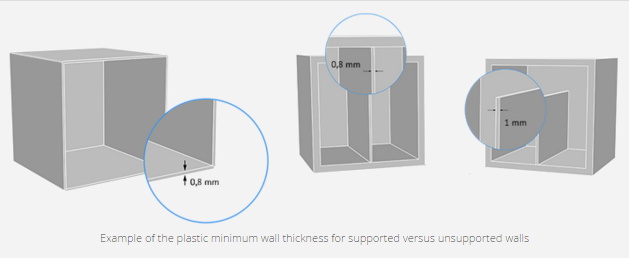
The next tip is to pay attention to the kind of material you are working with and understand that each material has a different minimum wall thickness. Plastic or alumide materials will allow you to push the technological envelope on your prints, but multicolor material, for example, requires that the minimum wall thickness is at least 2 mm. You can check out this Sculpteo page for design guidelines to help you in this process.
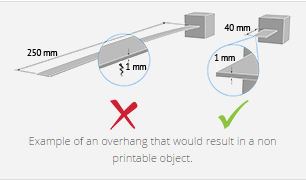
“If you want to print large surface (or even better large flat surface), you should also take into account that the machine has to be able to build physically the “unsupported walls” or that the flat surfaces tend to wrap while cooling. It means that flat surfaces on a 3D file that aren’t thick enough won’t remains flat after being printed.”
And finally, a word about gravity from our good friends at Sculpteo. We are reminded, when designing our 3D models, that “physical aberrations such as floating parts, unstable position, parts supporting too much weight relative to its thickness” are easier to correct at the outset of the design process. Pay attention to “the geometry of your design” and “the most stressed parts” because it is these parts that must be thickened to guarantee a successful 3D print.
And that’s what we are all going for here, isn’t it? Does this information help you with current projects? Discuss in the Sculpteo Wall Thickness & 3D Printing Tips forum over at 3DPB.com.